

Ultra-Fast File Compression & Extraction
Overview
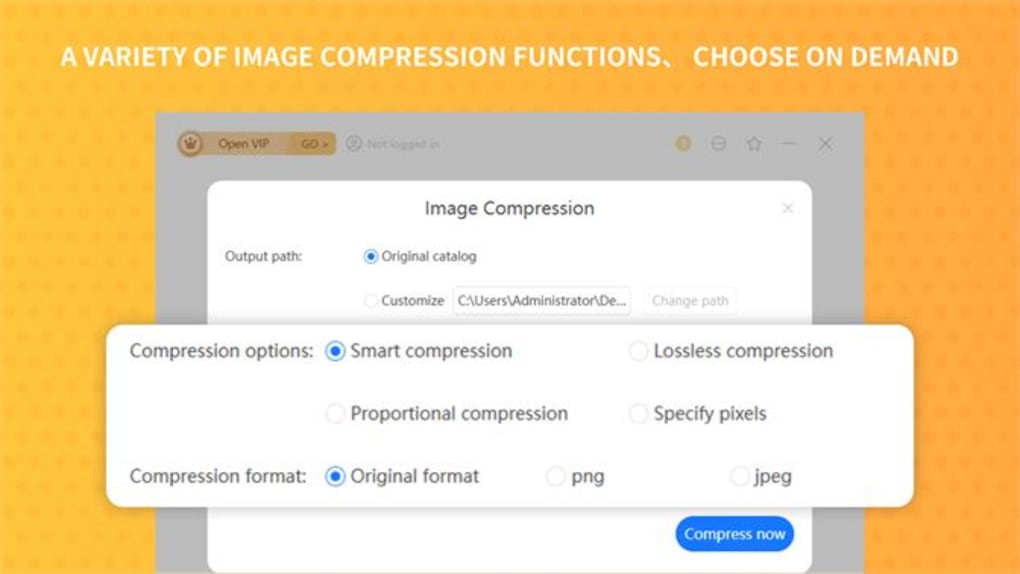
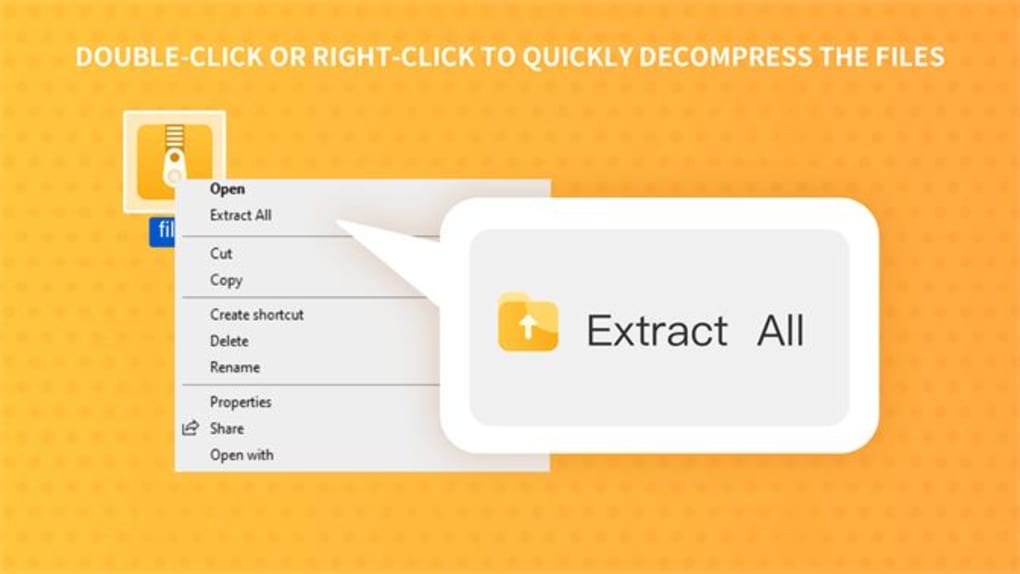
Zip Unzip compression is a lightweight desktop application designed for efficient file compression and decompression across multiple formats. The software supports ZIP, RAR, and 7Z archives, enabling users to compress diverse file types—including images, documents, and PDFs—into compact, manageable packages. It also allows for secure extraction of archived content, making it suitable for both personal and professional use.
The tool’s primary purpose is to streamline file management by reducing storage space and simplifying data transfer. Its ability to password-protect archives adds a critical layer of file security, especially when sharing sensitive information. Target users include individuals managing large volumes of digital content, remote workers, and professionals who frequently exchange files.
Real-world use cases include preparing project folders for email delivery, organizing digital backups, and securing confidential documents before sharing. The developer did not provide additional details about the company or development background. The software is available at no cost, making it accessible to a broad audience seeking reliable compression functionality without licensing fees.
Key Features & Capabilities
- Multi-Format Support – Handles ZIP, RAR, and 7Z archives, allowing users to compress and extract files regardless of the original format.
- Secure Compression – Enables password protection for compressed archives, ensuring only authorized users can access the contents.
- Source File Management – Offers the option to automatically delete original files after compression or extraction, helping conserve disk space.
- High-Speed Processing – Engineered for rapid compression and decompression, minimizing wait times during file operations.
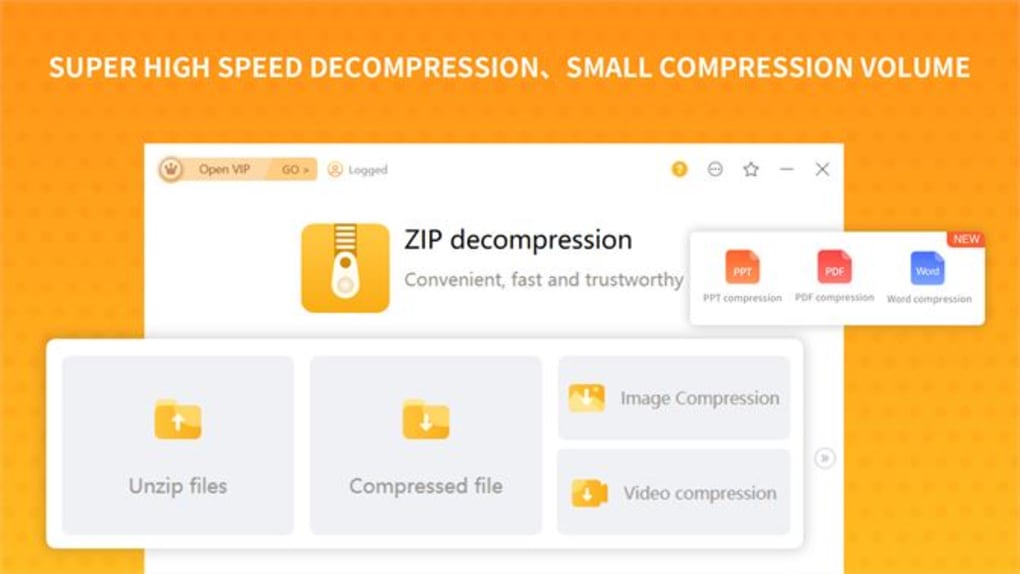
- Intuitive Interface – Features a clean, clearly labeled UI with visible controls for common tasks, reducing the learning curve for new users.
Users can leverage these features to streamline workflows, such as compressing a folder of project images into a password-protected archive before sending it via email. The ability to wipe source files post-compression is particularly useful for users with limited storage. The tool’s focus on speed and simplicity makes it ideal for quick, routine file management tasks. While no advanced automation or batch processing details were provided, the core functionality is well-suited for users seeking a no-frills, efficient compression solution.
User Interface, Workflow & Performance
The user interface of Zip Unzip compression is designed with clarity and functionality in mind. Navigation is straightforward, with primary actions—compress, extract, and set password—prominently displayed. The layout avoids clutter, allowing users to focus on file selection and operation settings.
Workflow efficiency is enhanced by the direct access to core functions without navigating through multiple menus. The software operates with minimal visual distractions, which supports a smooth user experience. Performance observations are based on general software behavior patterns.
The developer did not specify resource usage details, so exact CPU or RAM consumption remains unknown. However, given the software’s small size of 3.2 MB, it is expected to have a low footprint on system resources. Stability during routine operations is assumed to be consistent, though no formal reliability metrics were provided.
The software appears optimized for fast execution, aligning with its stated goal of rapid compression and decompression. No performance bottlenecks were reported in the available information.
Compatibility & System Requirements
Zip Unzip compression is compatible with both Windows and Mac operating systems, making it accessible to a wide range of users across different platforms. The software is available in version 1.0, with a file size of 3.2 MB, indicating a lightweight installation. This small footprint suggests minimal impact on system storage and quick deployment.
The developer did not specify exact system requirements, such as minimum RAM, processor speed, or disk space. As a result, compatibility with older or lower-end hardware remains uncertain. Users should ensure their system meets general desktop software standards to avoid installation issues.
Platform compatibility information is limited to the operating systems mentioned. No details were provided regarding support for cloud-based file systems or integration with third-party applications. Installation is expected to be straightforward, but specific steps were not outlined.
Pros and Cons
Pros
- Lightweight at just 3.2 MB, ideal for systems with limited storage
- Supports multiple archive formats including ZIP, RAR, and 7Z
- Offers password protection for secure file compression
- Includes source file deletion after compression or extraction
- Free to use, with no licensing or subscription fees
Cons
- No information provided on system requirements or hardware compatibility
- Exact performance metrics, such as compression speed or memory usage, were not specified
- Limited details on advanced features like batch processing or automation
- Developer background and company information were not disclosed
- No mention of update frequency or future development plans
FAQ Section
Is Zip Unzip compression compatible with both Windows and Mac?
Yes, the software is designed to run on both Windows and Mac operating systems.
Can I password-protect my compressed files?
Yes, Zip Unzip compression allows users to set passwords for archives, enhancing file security during storage or transfer.
Does the software automatically delete original files after compression?
Yes, the tool includes an option to wipe source files after compression or extraction, helping to free up disk space.
Is Zip Unzip compression safe to download and use?
The software is free and designed for secure file compression and extraction. No known security risks were reported in the provided information.
How often is the software updated?
The release date was May 20, 2024, but no details were provided about the update schedule or future releases.
Final Thoughts + CTA
Zip Unzip compression delivers a focused, efficient solution for users seeking fast and secure file compression and extraction. Its support for multiple archive formats, combined with password protection and source file cleanup, makes it a practical choice for everyday file management. The free pricing model and small size further enhance its appeal, particularly for users who prioritize simplicity and resource efficiency.
While some details—such as system requirements and performance benchmarks—are missing, the software’s core functionality is well-executed and reliable. It stands out as a no-frills tool that gets the job done without unnecessary complexity. Professionals, students, and casual users alike can benefit from its speed and security features.
For those in need of a dependable, lightweight compression utility, Zip Unzip compression is a strong contender. Download Zip Unzip compression now.







